


Welcome to Our Community
Discover services, events, and everything Roosevelt Island has to offer.
Permits
Tennis Information
Online Registration Help
An easy-to-use guide to help you register online to play on our tennis courts.
Overview
The online reservation and permitting portal will allow users to:
- Create a personal account to keep track of all requests and approved permits
- View availability of RIOC's permitted spaces through a real-time calendar
- Reserve space for one-time or multiple-date use
Create an Account
To create an account, go to:
https://rioc.civicpermits.com/Account/LoginFill Out Account Information
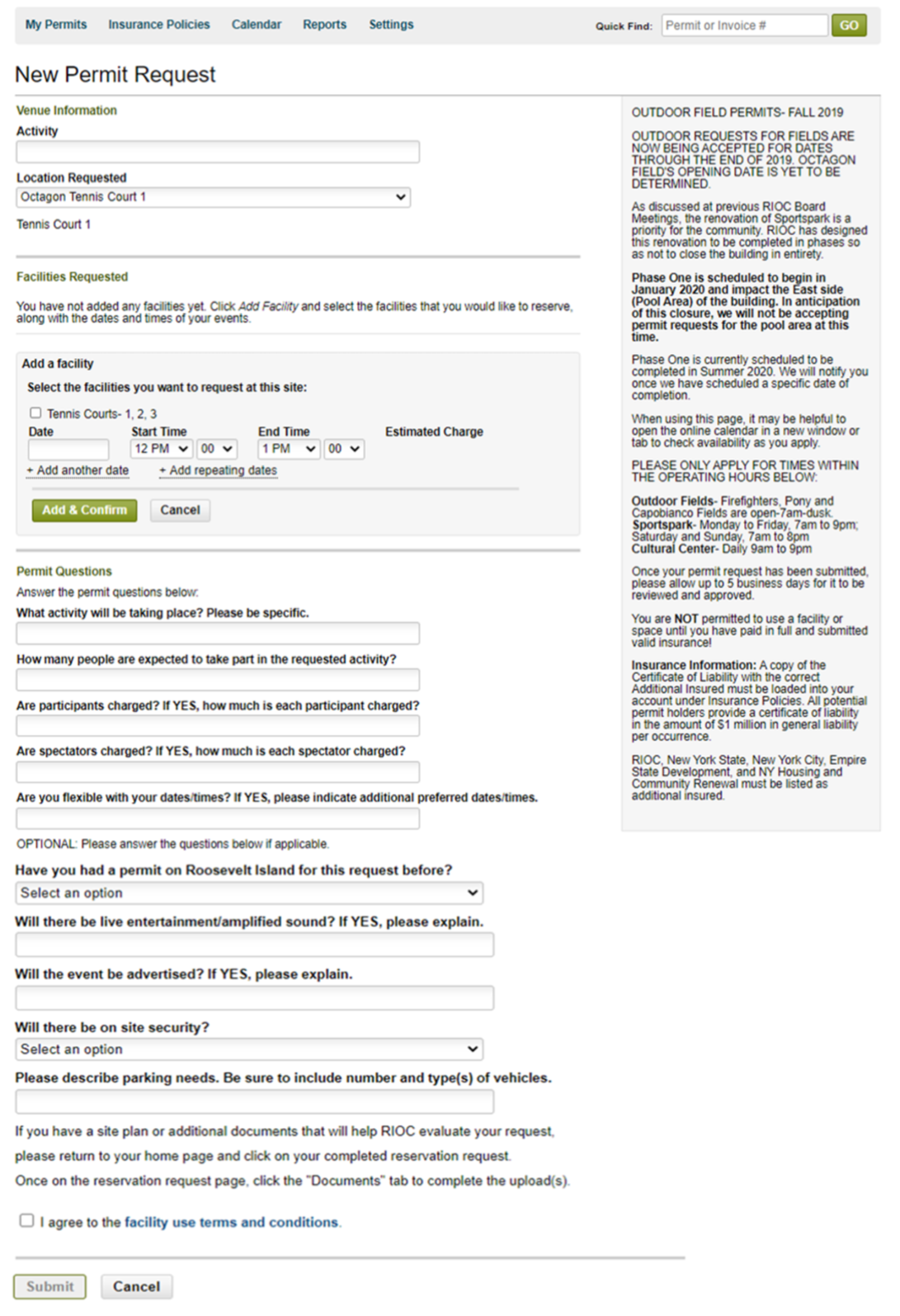
Once at the "Create an Account" page, fill out the required information such as group name, group type (for "Type of Group" select "Other"), address and primary contact:
Create New Permit Request
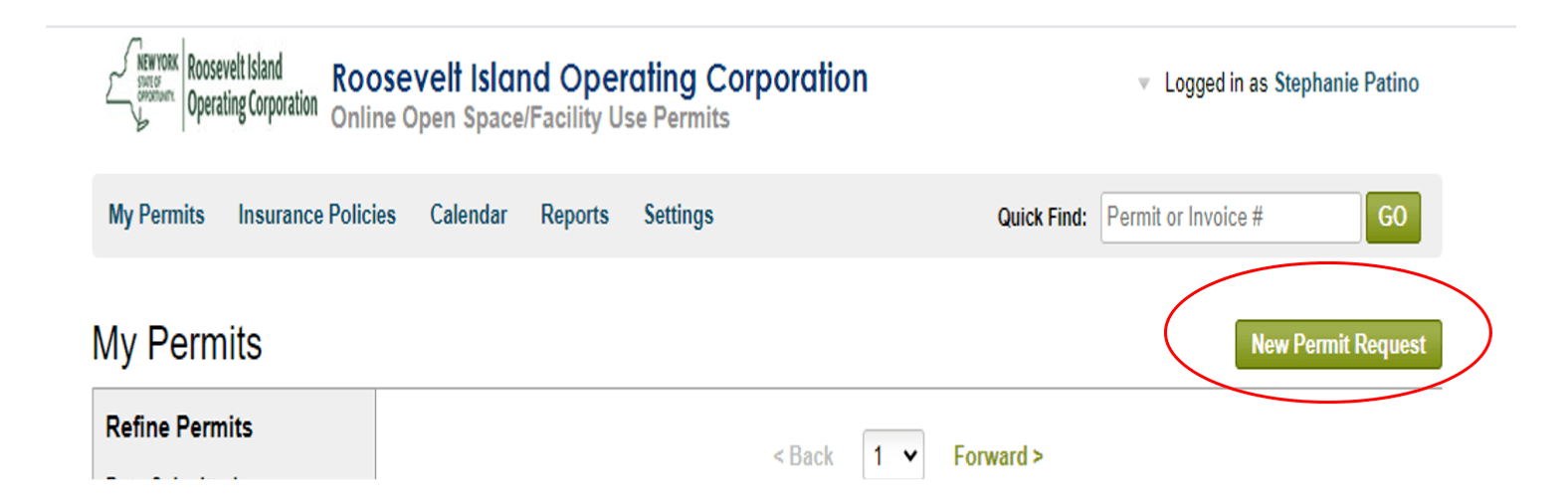
Once you create an account, you can login and select "New Permit Request" to request a permit:
Permit Request Screen
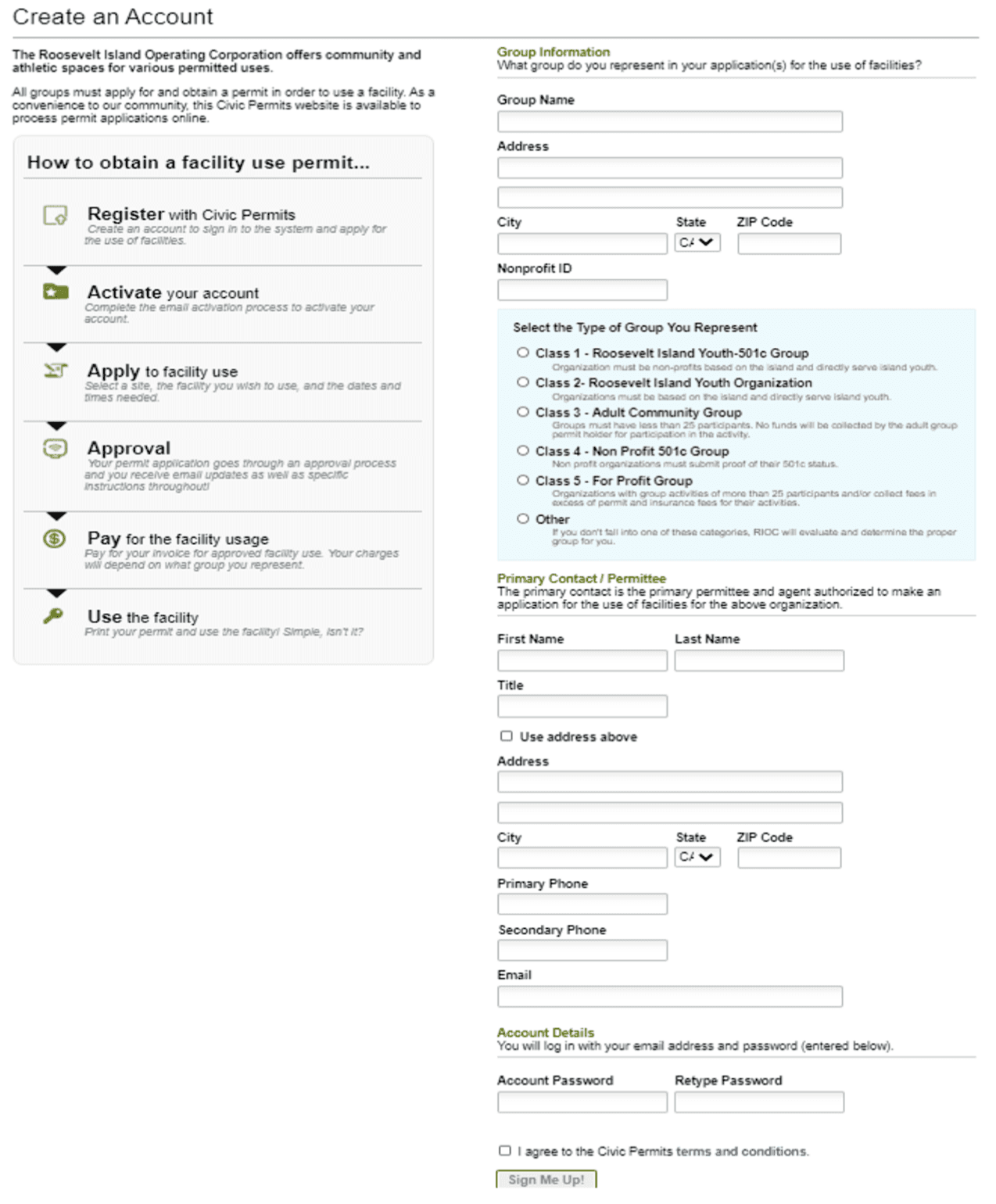
After selecting "New Permit Request" it brings you to the following screen:
Complete Your Request
Fill out the information requested:
- Enter type of activity.
- Select location.
- Select Facility "Tennis Courts- 1,2,3"
- Enter request date and times, then select "Add & Confirm"
- Answer the permit questions as it applies to your request. If it does not apply to your request enter N/A
- Select box "I agree to the facility use terms and conditions".
- When complete click on "Submit".
Once you have submitted your permit request, it will be reviewed for approval. If your permit is granted you will receive a pre-approval. You will receive email updates during the permit request process.
You're All Done!
What's Next?
You will receive final approval once you have returned an electronic signed copy of the RIOC Tennis Courts Rules and Operations document.
Failure to return the signed document will result in the permit request being denied.